
iA Writer: Distraction-Free Writing

There’s no doubt that we live in a distracting time. With an almost constant connection to our phones, emails, and social media, it can sometimes seem impossible to truly “get away from it all” and stay focused, especially when writing. Now imagine you’re someone who struggles with staying focused and on task, and you’re trying to finish that big writing assignment but your friends, your games, and the entirety of the internet is just a click away?
FastFig: Calculator and Word Processor

With math being the most tutored subject in school, there are no doubt many learners who are especially struggling during this pandemic, particularly those students who are not able to find or afford tutoring. The app that we are looking at today is well suited for students who struggle with math but do not have quick access to a teacher, friend, parent, or tutor who can check or correct their work.
How to: Use Microsoft 365 in the Classroom

With another school year beginning, we thought it would be a great time to talk about using Microsoft 365 in the classroom. This suite of productivity apps is constantly growing and improving, and new accessibility features and educationally focused improvements are constantly being added. Especially with the unique challenges that we are faced with in 2020, virtual learning has never been more essential, and Microsoft 365 has improved greatly in its ability to provide students and teachers with an accessible, dynamic, and user-friendly learning and productivity platform.
Android Accessibility Suite

In recent years, Google has gone to great lengths to bolster the accessibility of Android devices. And although iOS still wins top honors for built-in accessibility, Google has released some interesting accessibility add-ons that warrant some further discussion.
Rivet Reading App

Since the recent COVID-19 epidemic, educators, parents, and students have been forced to re-examine at-home learning. And while it’s still too early to say for sure, it looks like in a lot of locations around the world, at-home learning is going to account for at least half of a student’s education, at least for the short term. With that in mind, our upcoming e-bulletins will put extra emphasis on learning strategies that can be used at-home.
Trello Virtual Whiteboard App
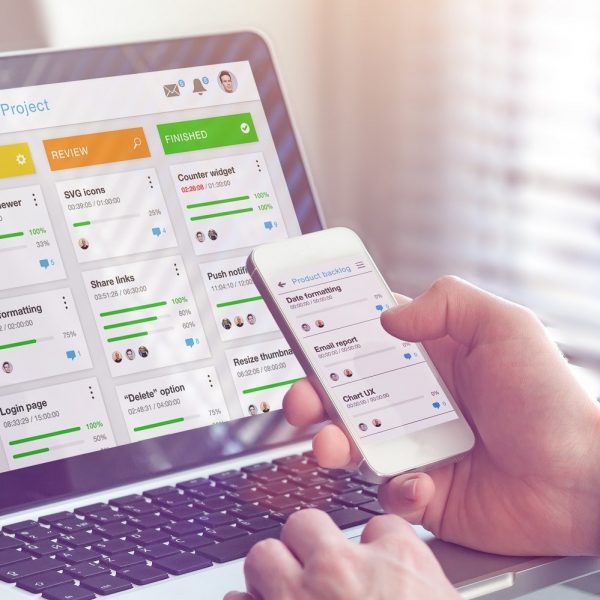
Whiteboards are a great tool for planning and organizing projects, but sometimes physical and practical limitations such as the recent COVID-19 epidemic make it difficult for individuals to consistently follow up on and fully utilize the concept. This is especially true for individuals who alternate between their home and office. If you keep your whiteboard in your office, how do you access it at home or elsewhere? Virtual whiteboard apps are not affected by these same limitations, which is why many modern smartphone users are turning to digital equivalents instead.
Nebo Note Taking

Note-taking has evolved greatly over the years, and while it all originally started with pen and paper, the latest in note-taking technology does not stray too far from that format. Because of the digital revolution, technology has become smaller and easier to use, so now, digitizing notes does not have to mean sitting in front of a PC screen, typing on a keyboard. In today’s digital environment, note-taking can be both efficient and digital, and the fundamentals of quickly jotting down a note can now be replicated via tablet or smartphone.
Seesaw Remote Learning

In recent years, online learning platforms have grown and improved dramatically. Course content is now typically being presented in line with Universal Design for Learning principles, and the platforms are typically faster and more user friendly then they were years ago. These platforms have become especially essential during recent months, where the COVID pandemic saw schools around the world shut down, and virtual learning options transitioned from being optional to essential.
TSheets Time Tracker

For individuals who struggle with executive functioning, staying on task and on time can be a real struggle. And, if you are a manager or supervisor, managing individuals who struggle with executive functioning comes with its own unique set of challenges. The app that we are looking at today seeks to alleviate some of those challenges by automating and digitizing timesheets, timecards, and scheduling in the workplace.
Snap&Read Universal