
We Have Solutions! – Episode 37: Notebook LM, Mac Accessibility, and the Future of AI
On our latest episode of “We Have Solutions,” Seaver Stafford is joined once again by Nakia Singh, and they talk Mac accessibility, do a quick review of Notebook LM, and chat a bit about the future of AI.
WorkBC Assistive Technology Services “A Great Help” for Ronald

Ronald is an insurance estimator. His work requires a lot of communication, both in-person and over the phone.
“[I have] hearing loss, which resulted in missing information (sometimes critical) during calls or in-person meetings, [and I’m] always having to ask people to repeat themselves which slowed the workflow,” he shares.
Celebrating 100,000 Participants Served Since 1984
Today, we’re excited to celebrate a huge milestone on our 41st anniversary. Since 1984, we’ve served 100,000 participants with disabilities! A heartfelt thank you to our donors, supporters, volunteers, and community for making this possible. We couldn’t have done it without your help. Here’s to reaching the next 100,000!
“[It’s] Much Easier to Do My Job and Communicate With Customers”

After a long career as a service tech working on cars, Robert now works full-time driving the customer shuttle at a car dealership in Kamloops.
“I was suffering hearing loss as a result of working in a shop for 50 years, and I was having trouble hearing directions from customers I was driving,” he shares.
ABBYY FineReader: PDF Scanner & OCR
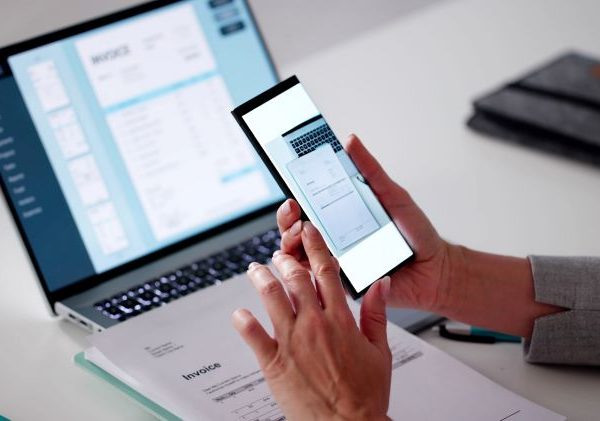
OCR (Optical Character Recognition) technology is always great to have in one’s back pocket, because it allows you to easily scan and digitize documents with just your smart phone. In past articles we have looked at both PrizmoGo and Microsoft Lens, and we consider them to be among the best OCR apps available right now.
However, there is another well-established OCR app that we haven’t talked about before, and that’s going to be the subject of today’s e-bulletin.
ABBYY Fine Reader is an AI-powered scanner designed to scan and capture paper documents, books, agreements, receipts, magazine articles, notes, recipes, charts, tables, slides, whiteboards, and even billboards on the street.
Lois’ New Hearing Aids Enables Her to Work More Efficiently

Lois works as an administrative assistant for a regional health authority. A large part of her job involves taking minutes for meetings and fielding many task requests. The meetings are held both in-person and virtually, and she found she was having trouble with her hearing loss in both contexts.
“My hearing has suffered and causes issues when taking minutes. Having to depend on reading a transcript, reading lips, [and] turning up the volume slows down production and to some extent [affects] accuracy,” she shares.
Joplin: Open Source Notetaking

Notetaking apps are helpful for a wide variety of individuals. Whether you are a student or a professional, there’s a good chance that at some point in your life you will need to take notes. And while I still prefer OneNote because of its Microsoft 365 integration, there are plenty of other notetaking apps worth considering.
Joplin is an open source note-taking app that can support a wide variety of multimedia types including images, videos, audio files, and more. Users can also create math expressions and diagrams directly in the app.
“I Am Very Thankful [To] This Program for Giving Me [My] Smile, Hope, and Energy Back”

Hazen works as a care aid in a long-term care facility. A young cancer survivor, she has hearing loss as a side effect of her treatment, which affects her confidence in communicating in the workplace.
Through WorkBC Assistive Technology Services, Hazen received funding for hearing aids for both ears.
We Have Solutions! – Episode 36: Steven Vine – Host of the Disabilities Diaries Podcast
Today we are joined by Steven Vine, host of The Disabilities Diaries Podcast.
Nine years ago Steven had an aneurysm that completely changed the trajectory of his life. He has had an incredible health journey so far, and his story is absolutely inspiring. It was such a pleasure to talk with him and learn more about the strategies he uses to stay mentally healthy and connected to the world around him.
“I Am Now Able to Hear What I Need to Be Able to Function at My Job”

Lola works in food service at a care home for seniors. She has hearing loss, and with over 100 residents to serve, it was becoming hard for her to hear food orders.
Her audiologist referred her to WorkBC Assistive Technology Services for help funding a new set of hearing aids. She applied and was quickly approved, allowing her to get the hearing aids she needs to do her job.

 |
| 400 – 3999 Henning Drive |
| Burnaby, BC V5C 6P9 |
| 604 473 9360 | 1 877 673 4636 |
| solutions@neilsquire.ca |
| Refer today |
|
|
 |
| 400 – 3999 Henning Drive |
| Burnaby, BC V5C 6P9 |
| 778 945 1215 |
| hearingsolutions@neilsquire.ca |
| Refer today |
|
|