
Neil Squire and SMART Technologies Team Up on Accessibility
Written by Brent Stempfle
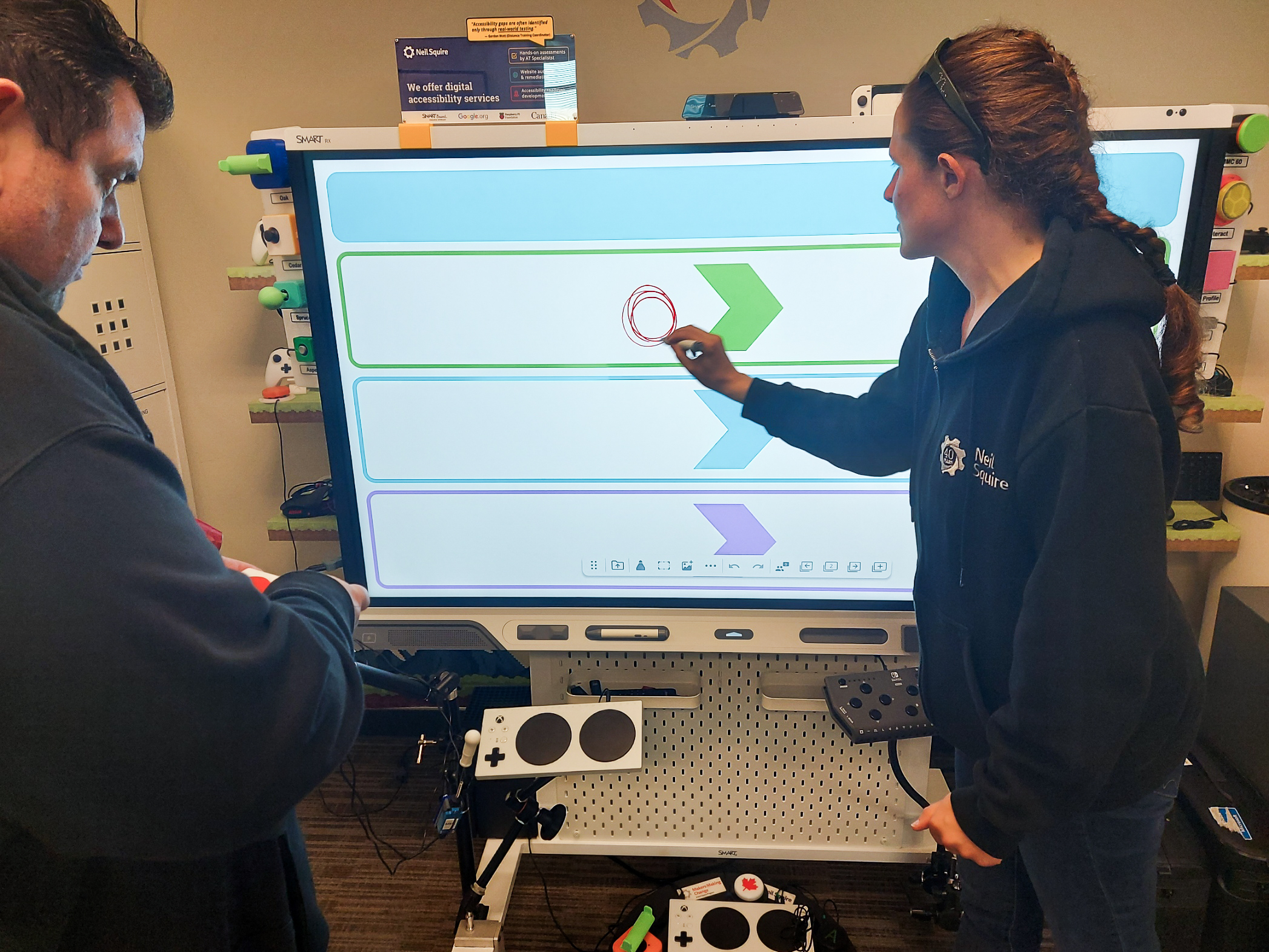
Gordon Watt and Jody Dickerson have built their careers on making technology work for people with disabilities. As Neil Squire’s Distance Training Coordinator, Gordon provides technology training and support to people across Canada through the Distance Computer Comfort program. Jody, an Assistive Technology Specialist and Trainer, helps individuals find and master the tools that support their goals, tailoring each system to the person. Both also carry out technology evaluations, testing accessibility features and working to improve independence. When SMART Technologies approached Neil Squire to evaluate the accessibility of their SMART Boards, it was a natural fit. Evaluating technology and identifying accessibility barriers is a significant part of the Society’s work. Gordon and Jody’s experience working with the users of these assistive technologies meant they could offer practical feedback grounded in real-world, disability-related needs.
Working from Neil Squire’s office in Burnaby, the pair developed a series of test scenarios designed to measure the board’s accessibility. Using structured accessibility test scenarios based on a wide range of disabilities and assistive technologies, they documented what worked well and what could be improved. Their evaluation covered the board’s accessibility features. That included Android tools like TalkBack, a screen reader, and Switch Access, which lets users navigate with adaptive switches. They also tested keyboard navigation, touch accessibility, text entry, web browsing, and built-in whiteboard tools. Their goal was to determine whether someone using assistive technology could independently perform common tasks and fully participate in a classroom or meeting.
Some of what they found surprised them. Because the board runs on Android, much of its accessibility functionality was already built in. That means the tools that people use every day on their phones and tablets work on the board as well. For Gordon, one of the board’s biggest benefits was flexibility. Different people interact with technology in different ways, and the board offers multiple ways to access it.
“When accessibility features are built into the technology, more people can participate in the same activities alongside their peers rather than needing separate solutions,” says Gordon. “That’s something we always strive for at Neil Squire.”
That flexibility stood out for certain users in particular. The board showed strong support for people with limited hand dexterity who use switch access, and for blind or low-vision users who rely on screen readers. It also helped students who benefit from large-format visual content.
As with any technology, there was room for improvement, and Gordon and Jody identified areas where navigation could be streamlined. They also noted where additional feedback could make tasks easier for users relying on assistive technology. Throughout the project, Gordon and Jody provided detailed accessibility feedback, identified barriers, retested new software releases, and worked closely with SMART Technologies as accessibility improvements were implemented. For Gordon, SMART’s genuine interest in that feedback was one of the most encouraging parts of the project.
One moment in particular stuck with Gordon. Many people assume a large touch display requires direct touch to use. But during testing, they were able to navigate menus, launch applications, and access settings using only switches.
“It reinforced the importance of designing technology that offers multiple ways to interact with it,” says Gordon.
He sees the project as part of Neil Squire’s larger goal of removing barriers through technology, in this case by making classrooms and meeting spaces more inclusive. The board is a welcome sign that accessibility is being considered within mainstream technology, not added as an afterthought. Gordon and Jody encourage other organizations to consider accessibility from the beginning, not just the technical specifications. That means asking how the technology works with screen readers, switch access, keyboard navigation, magnification, and other assistive tools. For a collaborative device, Jody suggests going one step further. She feels they should ask “how it works with those accessibility tools throughout the entire process, and alongside users with different interaction and accessibility needs.”
Gordon hopes SMART will keep involving people with disabilities and accessibility professionals throughout development. This project, he feels, demonstrated the value of that collaboration.
“When accessibility is considered throughout the design process, the end result is a better experience for everyone,” says Gordon.
Tags: apps, assistive technology, BC, Burnaby Regional Office, Distance Computer Comfort, Solutions