

G-Suite Accessibility Features: Part 2

Last week we looked at some of the accessibility features that are supported within the G-suite, Google’s free, online, suite of productivity apps. In last week’s e-bulletin we looked briefly at Gmail, Google Calendar, Google Docs, and Google Drive. This week we will continue to explore the G-suite, and we’ll look at Google Sheets, Slides, Drawings Forms, Sites, Hangouts, and Classroom.
G-Suite Accessibility Features: Part 1
Today we’re going look at the wide variety of accessibility features that are available for Google’s G-Suite. The G-suite is a free, online collection of productivity apps that gives users access to E-mail, video conferencing, spreadsheets, and much more. These free apps are absolutely packed with built-in accessibility features that are constantly being modified and refined, making them a great choice for AT users who want a no-cost and highly accessible solution to everyday online tasks.
Technology@Work on AMI This Week

Grant Hardy from Accessible Media Inc. checks out our Technology@Work program and meets two recipients whose lives have been changed for the better by. Watch the video here:
Back to School Apps for 2018

The summer has passed, and September is here! Now that school is back in session, we thought we’d create a list of noteworthy “Back to School” apps for 2018. The apps have either been newly created in 2018, have just come to our attention, or have simply never been reviewed by us…after all, with so many apps on the market, it’s easy to miss a couple! And while these apps are diverse in their functions, and cover a wide range of categories, they are united by their potential in the classroom, as well as their ability to serve students, teachers, and even parents!
Wellness Tips for Employers
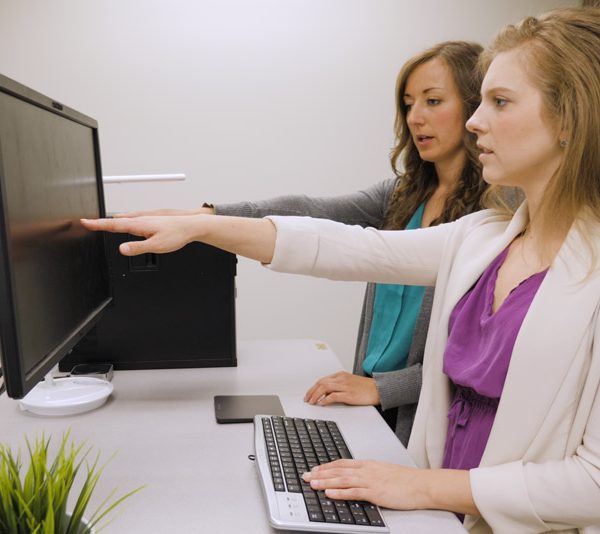
Encourage Employees to Move and Take Breaks
- The 20-20-20 Rule helps reduce eye strain: Look 20 feet away from the computer for 20 seconds every 20 minutes.
- Alternating between sitting and standing or incorporating stretch breaks helps employees be healthy at work.
- Changing positions doesn’t take away from valuable working time, but rather can make for a more healthy and efficient employee.
How-to: Use Siri as a Hands-Free Calculator

Right now on the iOS app store there are countless talking calculators available for purchase and even some for free. We’ve looked at Talking Calculator in the past, and it does a great job of calculating complex formulas hands-free with full VoiceOver support. For users who are blind, have low-vision, or have learning disabilities that make it difficult to visually process numbers, talking calculators can help level the playing field by giving users the ability to engage in math problems independently.
Wellness Tips for Employees

Move and Take Breaks
- Alternate between sitting and standing or incorporate stretch breaks every half-hour/hour.
- Use the 20-20-20 Rule: Look 20 feet away from your computer for 20 seconds every 20 minutes.
Beeline Reader: Reading Made Easier

Most of us have experienced eye strain and discomfort as a result of reading text on a computer screen. Now, imagine how much that discomfort would be magnified for an AT user who struggles with reading comprehension or vision. Students, professionals, AT users, and casual technology users have all experienced symptoms associated with prolonged exposure to a screen, and who knows what kind of consequences there will be for a generation of technology users who are constantly straining their eyes?
An “Extremely Liberating Experience” for Marco

For the past six years, Marco has been running his own business as a motivational speaker. Last year, he began a contract as an Accessibility and Inclusion Consultant with the Presidents Group, a network of business leaders focused on increasing employment for persons with disabilities across British Columbia.
Sonocent Audio Note-Taker

Taking notes manually can be a frustrating and imperfect process. It’s often difficult to keep up with the speaker, and most serious note-taking sessions result in cramped hands and hastily-written, hard to read notes.Now, with advent of digital note-taking technology, the process of taking notes can be much simpler, not to mention easier on the wrists. Anyone with a smartphone has access to digital note-taking technology; users simply need to go to their respective app store and choose from any number of free audio recording apps. Now imagine taking that audio recording a step further by adding typed or dictated notes, supplementary images, and color codes to your recording.

 |
| 400 – 3999 Henning Drive |
| Burnaby, BC V5C 6P9 |
| 604 473 9360 | 1 877 673 4636 |
| solutions@neilsquire.ca |
| Refer today |
|
|
 |
| 400 – 3999 Henning Drive |
| Burnaby, BC V5C 6P9 |
| 778 945 1215 |
| hearingsolutions@neilsquire.ca |
| Refer today |
|
|